





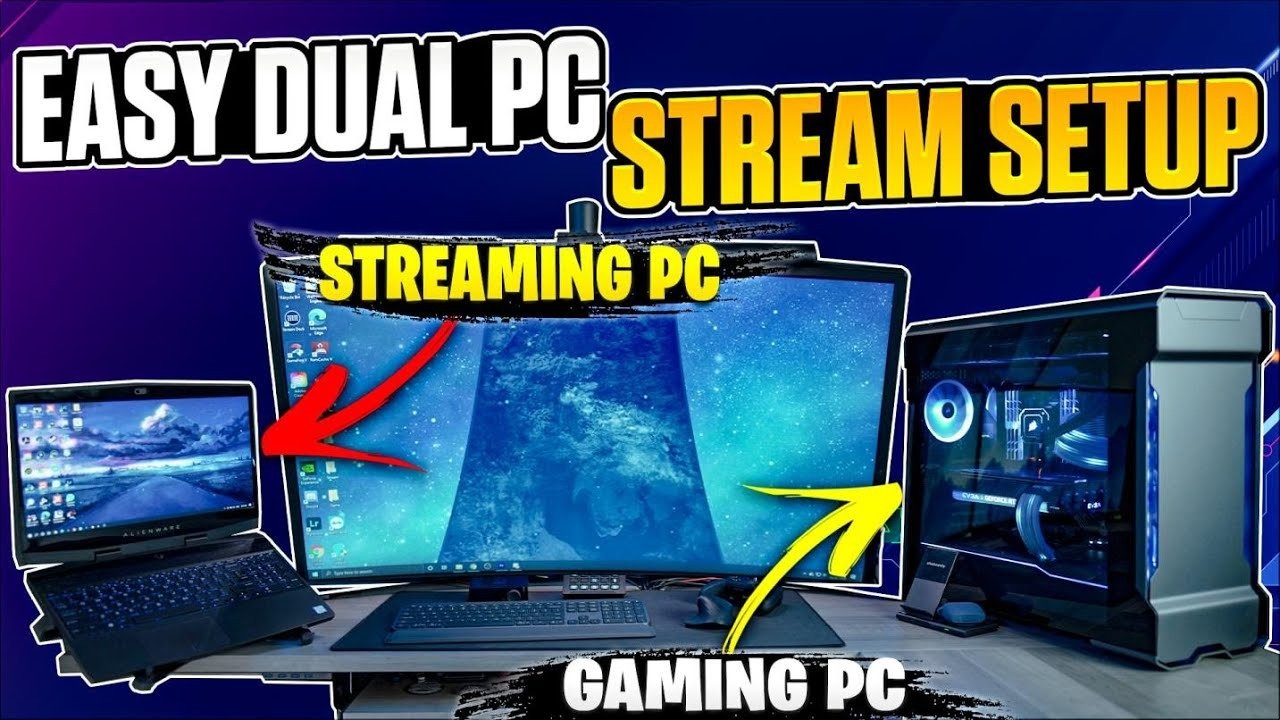
1. Understanding a Dual-PC Streaming Setup
What a Dual-PC Streaming Setup Is
A dual-PC streaming setup uses two separate computers: one dedicated to gaming and another dedicated to streaming and encoding. This separation allows each system to focus on a specific workload, improving overall performance, stability, and output quality.
Why UK Streamers Prefer Dual-PC Configurations
In the UK, where broadband speeds and hardware costs vary, dual-PC setups are popular among serious Twitch and YouTube creators because they eliminate frame drops, encoder overload, and system crashes. Gaming PCs can push high FPS, while streaming PCs handle OBS, alerts, transitions, and recordings.
Benefits Over a Single-PC Setup
Key advantages include:
- Smoother gameplay with no performance loss
- Higher stream quality at consistent bitrates
- Better thermal management and component longevity
Using https://pcpartpickeruk.co.uk/ allows UK users to plan both systems efficiently, ensuring compatibility and accurate UK pricing from trusted retailers such as Scan, Box, and Amazon UK.
2. Building the Ideal Gaming PC for a Dual-PC Setup
Performance Priorities for the Gaming PC
The gaming PC should prioritise GPU power and high clock speeds, not encoding performance. Since streaming tasks are offloaded, this system focuses purely on delivering high FPS and low latency.
Recommended CPU and GPU Choices (UK Market)
Popular combinations include:
- AMD Ryzen 7 / Intel Core i7
- NVIDIA RTX 4070 or RX 7800 XT
These components deliver excellent 1080p and 1440p gaming performance and are widely available via UK retailers.
Memory, Storage, and Cooling Considerations
- 32GB RAM ensures smooth multitasking
- NVMe SSDs reduce load times and stuttering
- High-quality cooling extends hardware lifespan
Planning through PCPartPicker UK ensures component compatibility and access to the best UK pricing.
3. Designing a Reliable Streaming PC for Encoding
The Role of the Streaming PC
The streaming PC handles OBS Studio, encoding, overlays, alerts, and recording, making CPU efficiency and system stability critical.
CPU vs GPU Encoding Options
UK streamers typically choose:
- x264 CPU encoding (Ryzen 9 / Intel i9)
- NVENC GPU encoding (RTX GPUs)
Both options work well depending on budget and performance goals.
RAM, Storage, and System Stability
- 32GB RAM minimum
- Dedicated SSD for recordings
- Quiet cooling for long streams
Using https://pcpartpickeruk.co.uk/ ensures the streaming PC is optimised without overspending.
4. Capture Cards and Audio Management Explained
Choosing the Right Capture Card
Capture cards transfer video from the gaming PC to the streaming PC. Popular UK options include:
- Elgato 4K60 Pro
- AVerMedia Live Gamer 4K
Available from Scan, Box, and Overclockers UK.
Internal vs External Capture Cards
- PCIe cards offer lower latency
- USB cards provide flexibility
Audio Routing for Professional Streams
Audio tools like Voicemeeter or hardware mixers such as GoXLR allow separate control of mic, game audio, Discord, and alerts.
Compatibility checks via PCPartPicker UK prevent PCIe and bandwidth issues.
5. Networking and Internet Setup for UK Streamers
Broadband Requirements in the UK
For stable streaming:
- 1080p: 8–10 Mbps upload
- 1440p/4K: 20+ Mbps
UK fibre providers are ideal for dual-PC setups.
Wired Networking Best Practices
Both PCs should use Ethernet, connected through a gigabit switch to avoid packet loss and latency.
Network Hardware Considerations
Motherboards with 2.5Gb Ethernet or dedicated NICs can improve reliability. These components are easily checked via https://pcpartpickeruk.co.uk/.
6. OBS Studio Configuration for Dual-PC Streaming
Encoder Settings and Bitrate Control
OBS should be installed on the streaming PC only. Recommended settings depend on your encoder choice and platform limits.
Scene Management and Audio Sync
Proper scene organisation, filters, and delay adjustments ensure professional output and eliminate audio sync issues.
Platform-Specific Optimisation
Twitch and YouTube UK have recommended bitrate caps. Following these ensures viewer stability and discoverability.
7. Cost Breakdown of a Dual-PC Setup in the UK
Typical UK Budget Ranges
- Entry-level dual-PC: ~£1,800
- Mid-range creator setup: ~£2,500
- High-end professional build: £3,000+
Saving Money with Smart Planning
Using PCPartPicker UK helps track price drops and avoid overpaying.
UK Retailer Advantages
Buying from Scan, Box, or Ebuyer ensures UK warranties, faster delivery, and reliable support.
8. Is a Dual-PC Streaming Setup Worth It?
Who Should Invest in Dual-PC Streaming
This setup is ideal for:
- Competitive gamers
- Full-time streamers
- Monetised content creators
Long-Term Benefits for UK Creators
Better quality leads to higher retention, sponsorship opportunities, and platform growth.
Final Recommendation
For UK creators serious about streaming, a dual-PC setup is a strategic investment, not a luxury. Using https://pcpartpickeruk.co.uk/ makes the process simpler, safer, and more cost-effective.
What is a dual-PC streaming setup?
A dual-PC streaming setup uses two separate computers: one PC runs the game, and the second PC handles streaming, encoding, and recording. This setup improves performance, stream quality, and system stability compared to a single-PC configuration. UK streamers often use PCPartPicker UK to plan compatible builds for both systems.
Is a dual-PC streaming setup worth it in the UK?
Yes, a dual-PC streaming setup is worth it for UK creators who stream regularly or professionally. It delivers smoother gameplay, higher video quality, and fewer dropped frames, especially when using fibre broadband. Planning costs and compatibility through https://pcpartpickeruk.co.uk/
Do you need a capture card for a dual-PC setup?
Yes, a capture card is required to send video from the gaming PC to the streaming PC. Most UK streamers use PCIe capture cards such as the Elgato 4K60 Pro for low latency and high refresh rates. Compatibility can be checked using PCPartPicker UK before purchase.
What internet speed is required for dual-PC streaming in the UK?
For 1080p streaming, a minimum upload speed of 8–10 Mbps is recommended. For 1440p or 4K streaming, 20 Mbps or higher is ideal. Both PCs should be connected via wired Ethernet for best results on UK broadband connections.
Should the streaming PC use CPU or GPU encoding?
Most UK streamers use CPU x264 encoding for higher quality if the streaming PC has a strong multi-core processor. GPU NVENC encoding is also popular for consistent performance and lower CPU usage. Both options work well when planned correctly using PCPartPicker UK.
How much RAM does a dual-PC streaming setup need?
Each PC should have at least 16GB of RAM, but 32GB is recommended for smoother performance. The streaming PC benefits most from higher RAM capacity due to OBS, browser sources, and recording tasks.
Can you stream without a high-end GPU on the streaming PC?
Yes, the streaming PC does not need a high-end GPU if it is not used for gaming. A mid-range GPU is sufficient for display output and NVENC encoding. This helps UK users reduce costs when planning builds on https://pcpartpickeruk.co.uk/.
What OBS settings are best for dual-PC streaming?
The best OBS settings depend on your encoder and platform. Most UK streamers use 6000 kbps bitrate for Twitch and higher for YouTube, with x264 medium or NVENC presets. OBS should always run on the streaming PC only.
How much does a dual-PC streaming setup cost in the UK?
A typical dual-PC streaming setup in the UK costs between £1,800 and £3,500, depending on component choices. Using PCPartPicker UK helps compare prices across UK retailers like Scan, Box, and Ebuyer to stay within budget.
Is a dual-PC setup better than a single-PC setup for streaming?
Yes, a dual-PC setup is better for serious streamers because it separates workloads, reduces crashes, and improves stream quality. While more expensive, it provides long-term benefits for UK creators focused on growth and monetisation.